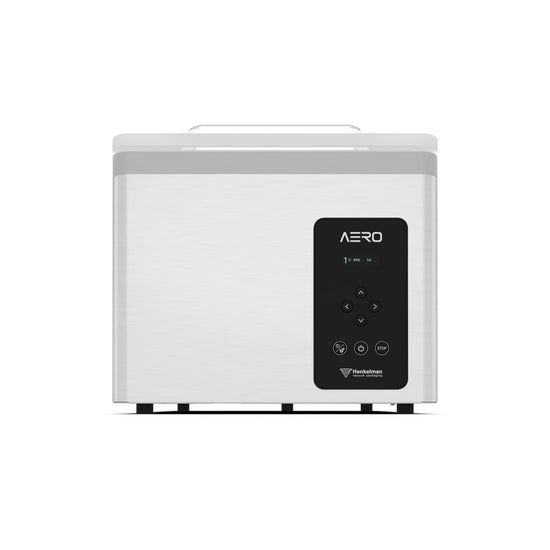
A pouch of liquid can start to boil inside a chamber vacuum packer. As the pump removes air from the chamber and the open pouch, the pressure falls. So does the temperature at which the stock boils. If the pump keeps running, the liquid can bubble up to the mouth of the pouch and spill across the seal bar.
Liquid Control detects when a liquid starts to boil and automatically ends the vacuum stage. For a kitchen batch-preparing soup or a butcher packing meat in marinade, that can mean less product lost, a cleaner sealing area and more reliability about when to seal each pouch.
How Does Liquid Control Work?
Liquid Control is a sensor option available on selected Henkelman chamber vacuum packers. Once it is enabled for the programme, the operator loads the pouch and starts the cycle as usual.
Place the open pouch inside the chamber. As air is removed from both the pouch and the space around it, the sensor continually monitors the atmosphere and detects the exact onset of boiling. On a standard programme, that signal tells the machine to seal the pouch. Air then returns to the chamber, and atmospheric pressure presses the sealed film against the product.
If the machine reaches its programmed vacuum level first, it ends the vacuum stage and seals the pouch. If the liquid starts to boil first, the sensor detects the onset of boiling, and the machine moves on to sealing early, reducing the risk of a spill.
The vacuum percentage you set is therefore an upper limit. Two pouches from the same batch of stock can finish at different readings if they go into the chamber at different temperatures. The warmer stock starts boiling at a higher chamber pressure, so the pump may stop earlier.
When is Liquid Control Useful?
Liquid control is most obviously useful for any pourable products, such as stock, soup, gravy, and sauces. However, you must consider what else is in the pouch.
A large portion of chicken may fit perfectly in the pouch, but the marinade around it may boil out of the opening. Even a product with very little visible liquid can lose moisture if vacuuming continues after boiling begins. This can completely change the final texture of the food.
It also helps with portion control, ensuring the original serving is not reduced as product is lost.
A splash of stock across the pouch mouth can trap food between the film layers where they need to bond. This will make the seal less airtight. Reducing boil-over gives the operator a clean sealing area and fewer failed packs.
Liquid Control also makes repeated batches easier to manage. On a manually controlled cycle, the operator watches for bubbling and advances the machine to sealing. With Liquid Control enabled, the sensor handles that decision on each cycle. Ending extraction promptly also limits the moisture reaching the pump, where accumulation can contribute to corrosion.
How to Use Liquid Control
1. Chill the Product to Your Specified Packing Temperature
Follow your kitchen’s cooling procedure and check the product temperature before packing. Colder stock can reach a deeper vacuum before it boils. When packing several pouches, keep the batch at a consistent temperature so all of the pouches are equal.
2. Choose the Correct Size of Pouch
Leave enough space between the stock and the intended seal for the liquid to rise. Keep the inside of the pouch mouth clean and dry, then lay the open end flat across the seal bar and smooth out any folds.
If the machine has an inclined insert plate, use it to physically support the filled end lower than the opening. This is particularly helpful with thin liquids that spill out as soon as a pouch is laid flat on the deck.
3. Enable Liquid Control For Your Programme
Check that Liquid Control is switched on for the correct programme. Use the vacuum limit specified for your product and sealing settings suited to the pouch material and thickness.
4. Supervise and Inspect the First Cycle
Watch how far the stock rises as the pressure falls. When the lid opens, look along the full width of the seal for trapped stock, folds, or gaps. Carry out any seal checks.
If liquid has reached the seal, set the pack aside for assessment and clean the machine. Before running another pouch, check the fill level, position of the opening, and selected programme. If the stock was already close to the seal bar before the cycle began, try a larger pouch or a smaller portion.
5. Record What Worked and Follow the Storage Procedure
Record the programme, pouch size, portion weight and packing temperature so the next operator can repeat the setup. Label and store the finished packs according to your food safety plan.
For UK food businesses, the Food Standards Agency provides specific guidance on how to establish shelf life and control the risks associated with chilled vacuum-packed foods.
What If the Cycle Finishes Below the Target Vacuum?
If your machine stops vacuuming at 85% when you programmed it for 99%, check the product temperature first. Today’s stock may be warmer than yesterday’s. Raising the target percentage will not give a deeper vacuum; boiling is what triggers the end of the vacuum stage.
You may be wondering if the pouch or product is negatively affected by the vacuum stopping early. The pouch can still seal properly, but a shallower vacuum may leave more air inside. Depending on the food, that extra oxygen can contribute to quality changes such as discolouration, and the product may have a shorter shelf life than expected.
The vacuum reading alone cannot tell you how long the food will keep. If your packing specification requires a minimum vacuum and the cycle falls short, hold the affected packs for assessment or rework.
Liquid Control+
Some Henkelman machines also offer Liquid Control+. With this setting, detection of boiling starts a timer. The pump continues extracting air for the programmed interval before the machine moves to the next stage. This gives more air a chance to escape, but also gives the bubbling liquid more time to rise towards the seal.
For a routine batch of stock, standard Liquid Control is a good starting point. If your process calls for extra extraction, trial Liquid Control+ with the recipe, portion size, and pouch. Watch where the liquid finishes, inspect the seal, and check the achieved vacuum against your product specification before repeating the setting across the batch.